The web application for creating and delivering engaging online classes.
T-bot
T-bot project is a UX/UI web application design aimed to enhance online teaching by integrating cognitive learning theories and insights from teacher and expert interviews, with a focus on refining the classroom dashboard for improved usability.
Introduction
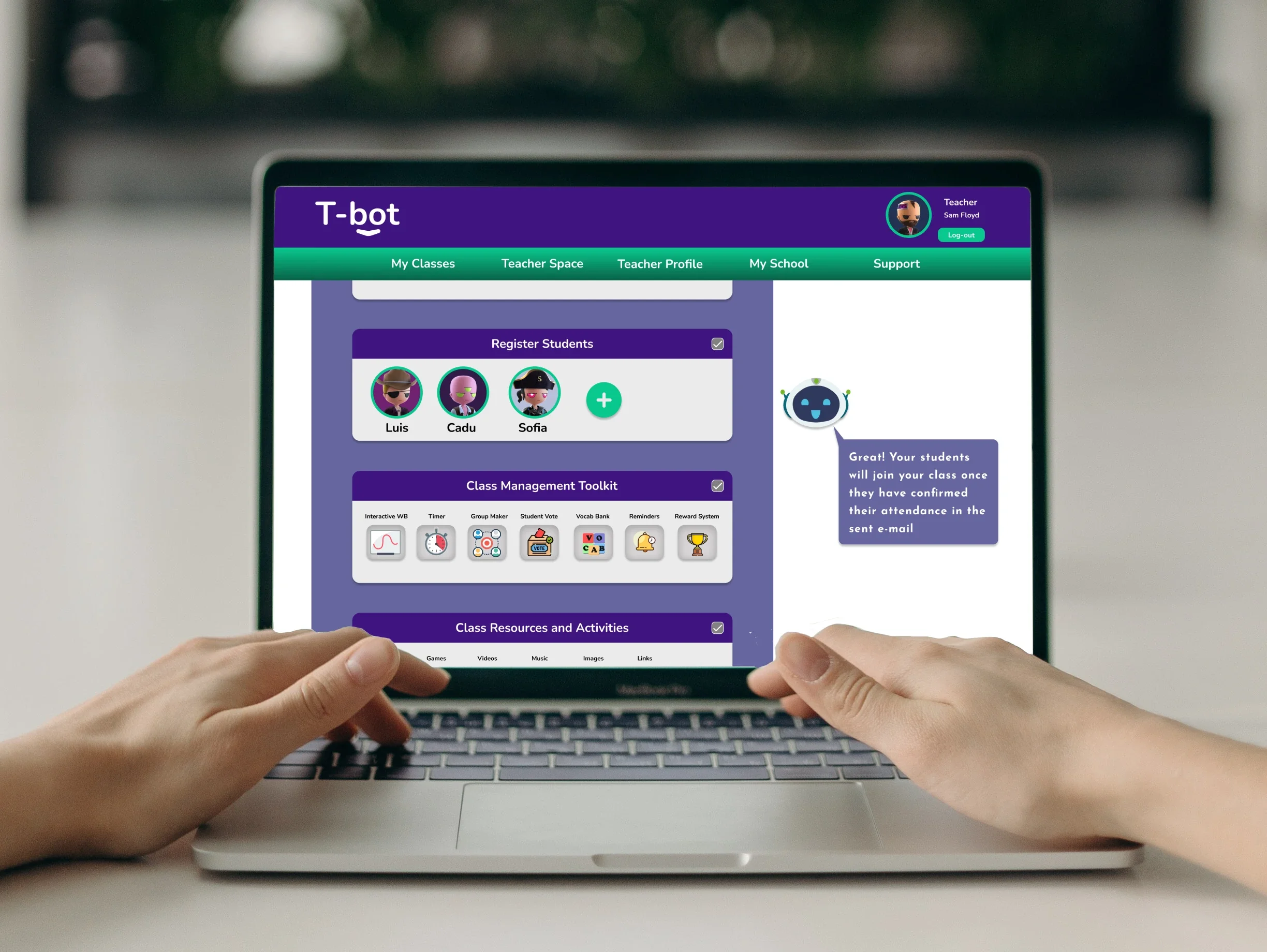
T-bot is an individual academic project completed during the UX/UI design boot camp at Barcelona Code School. The goal was to design a web application for online teachers that provides a comprehensive dashboard to better plan, build and deliver their online lessons.
Problem Statement
The pandemic of 2018 had shaken educational systems around the world with both teachers and students replacing their physical classroom with an online classroom. During that time I was working as an English teacher and so had been directly impacted by this, forcing me to adapt a different approach to my classes and the sourcing of my teaching tools and materials.
Thus this change of environment has increasingly prompted me with the need for providing teachers with the proper tools and resources to plan, manage and support their online classes.
Project Objective
To design a website that supports teachers in delivering structured and organized online classes that facilitate student engagement and encourage active learning.
Discovery
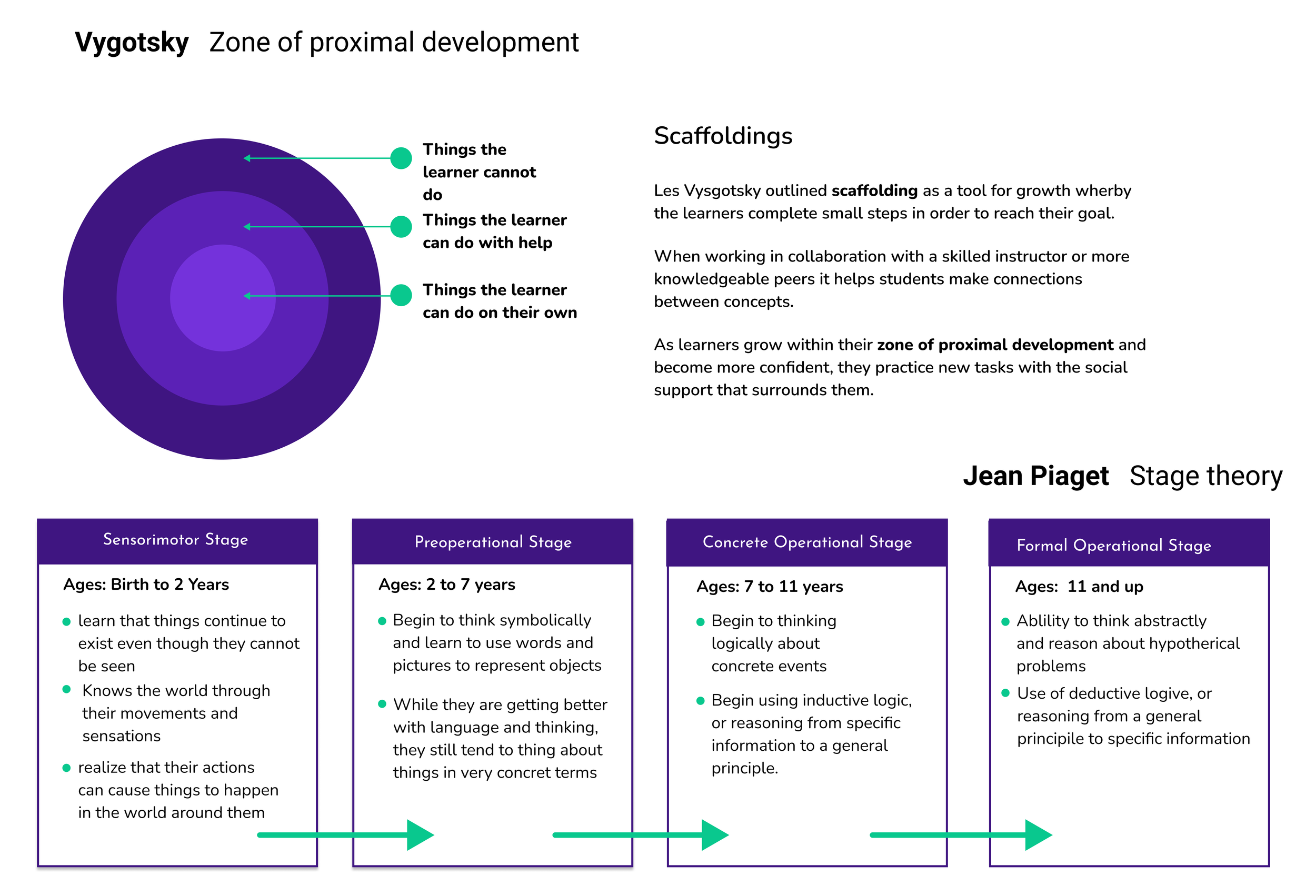
I began my desk research by looking at theories in psychology on cognitive learning and development which resulted in discovering two major theories; Lev Vysgotsky's zone of proximal development and Jean Piaget's stages of cognitive development.
Main Points
Learners are active participants.
Social Interactions are essential in order for a learner to make sense of what is being taught.
Learners can perform more challenging tasks when assisted by more competent individuals.
Different age groups will have different cognitive ways of learning.
Competitive Benchmark Analysis
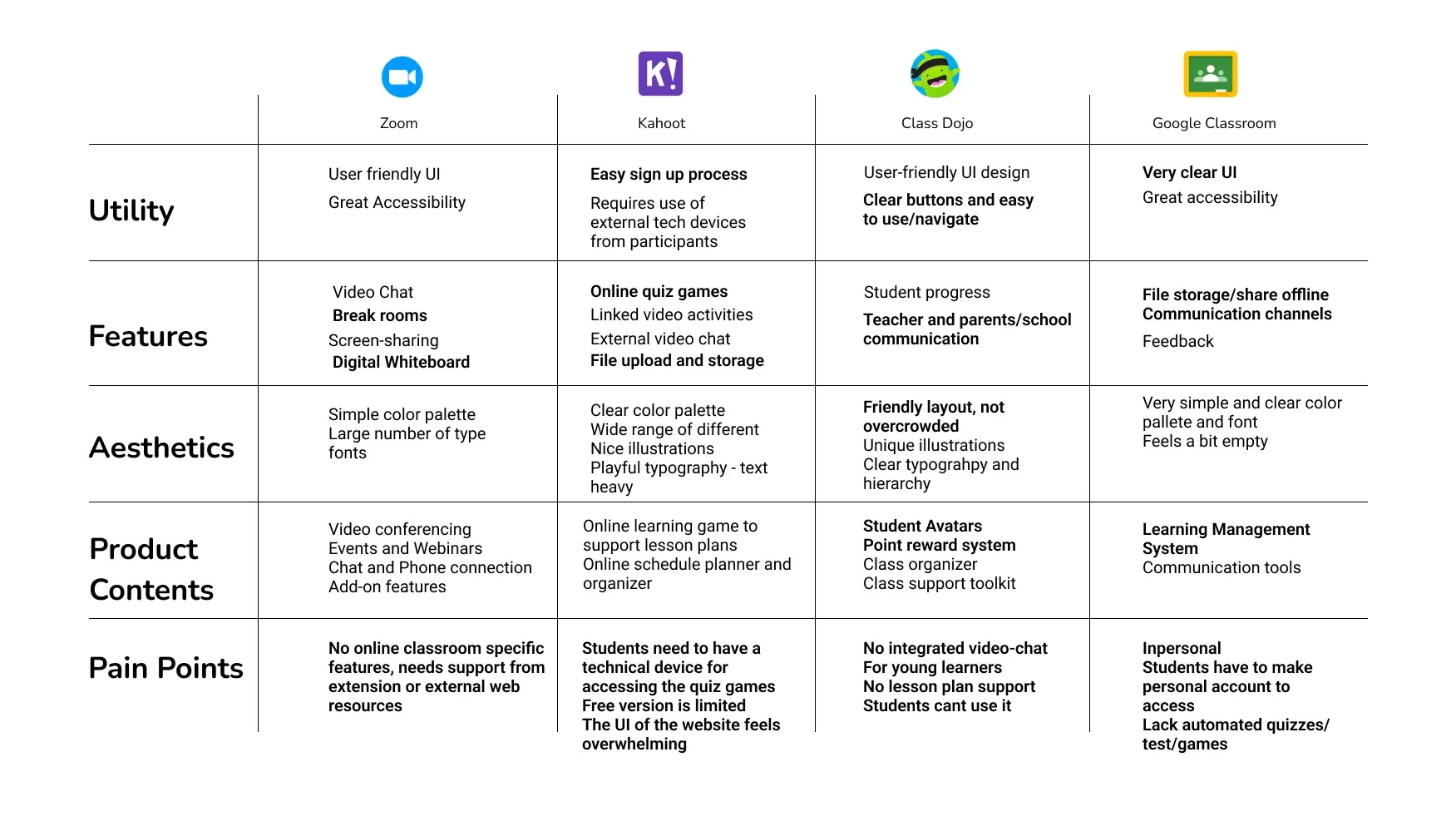
To define what makes T-bot a unique online classroom platform, I conducted a competitive analysis of popular learning and classroom tools used by teachers and language schools. This research focused on their features, aesthetics, content strategies, and common pain points.
Main points:
There is no 'one-size fits all' online classroom application.
There are many available e-learning tools online but no centralized platform to access them.
The use of gamification and digital media are some of the top tools used to increase online student engagement and active learning.
Online Interview with TeacherS
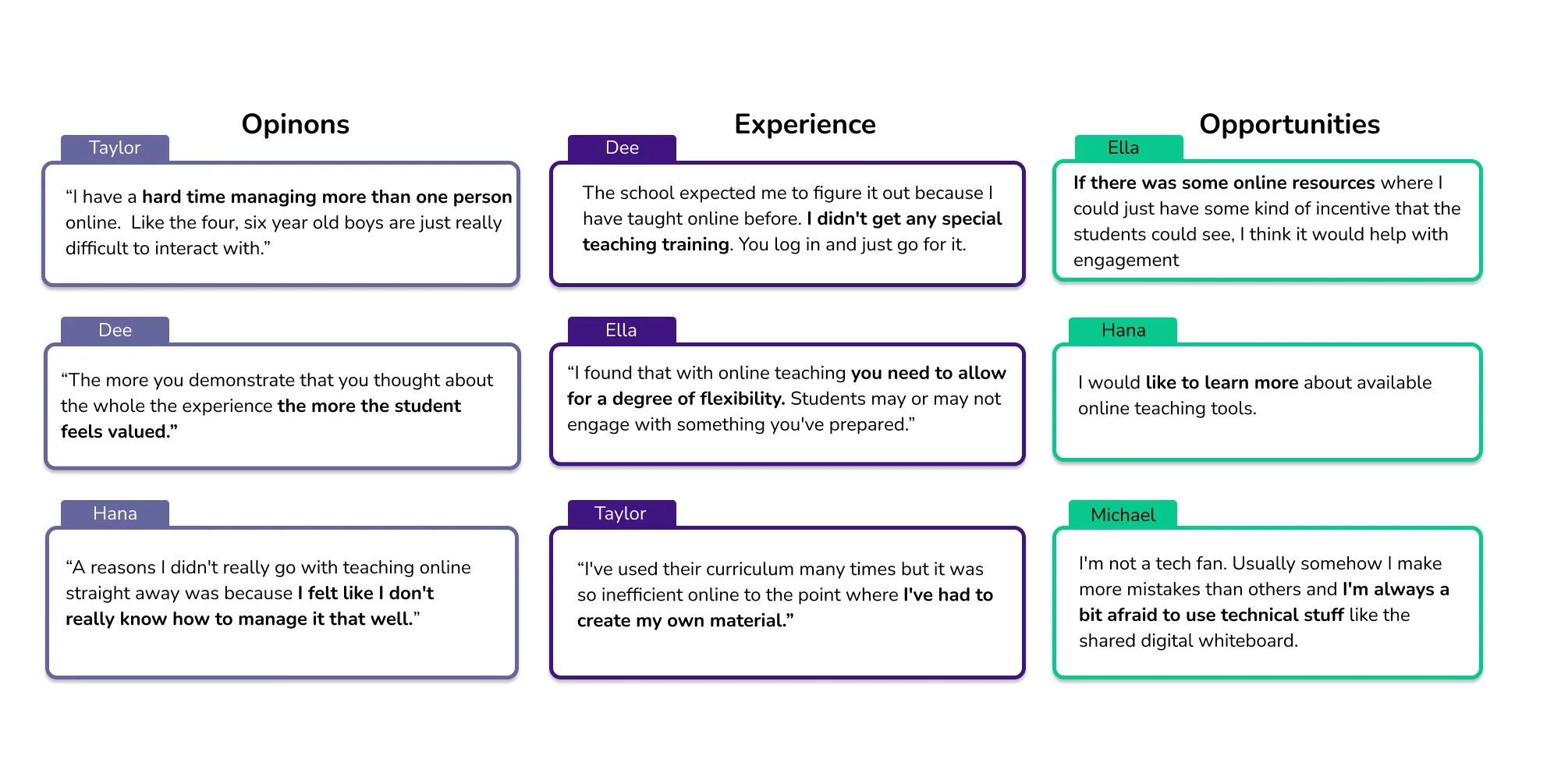
I conducted semi-structured interviews with four teachers to explore their experiences, opinions, and needs regarding online teaching and classroom tools. By analyzing their feedback, I identified key priorities, pain points, and opportunities for improvement in existing platforms and understanding the users (online teachers) sentiment in using online resources.
expert interview with child psycologys t
With a bit of luck I was able to get a hold of a PhD student and trainee in education and child psychology from East London University who during our semi-structured interview highlighted the following:
A young learner's ability to focus is very much dependent on the environment around him.
Diversifying the way a teacher presents the same information to students is important for them to remember later.
Young learners are naturally competitive gamification and reward systems can provide incentives for students to be more positively engaged in a class.
Some students who have school social anxieties have come to prefer online classes.
DEFINE
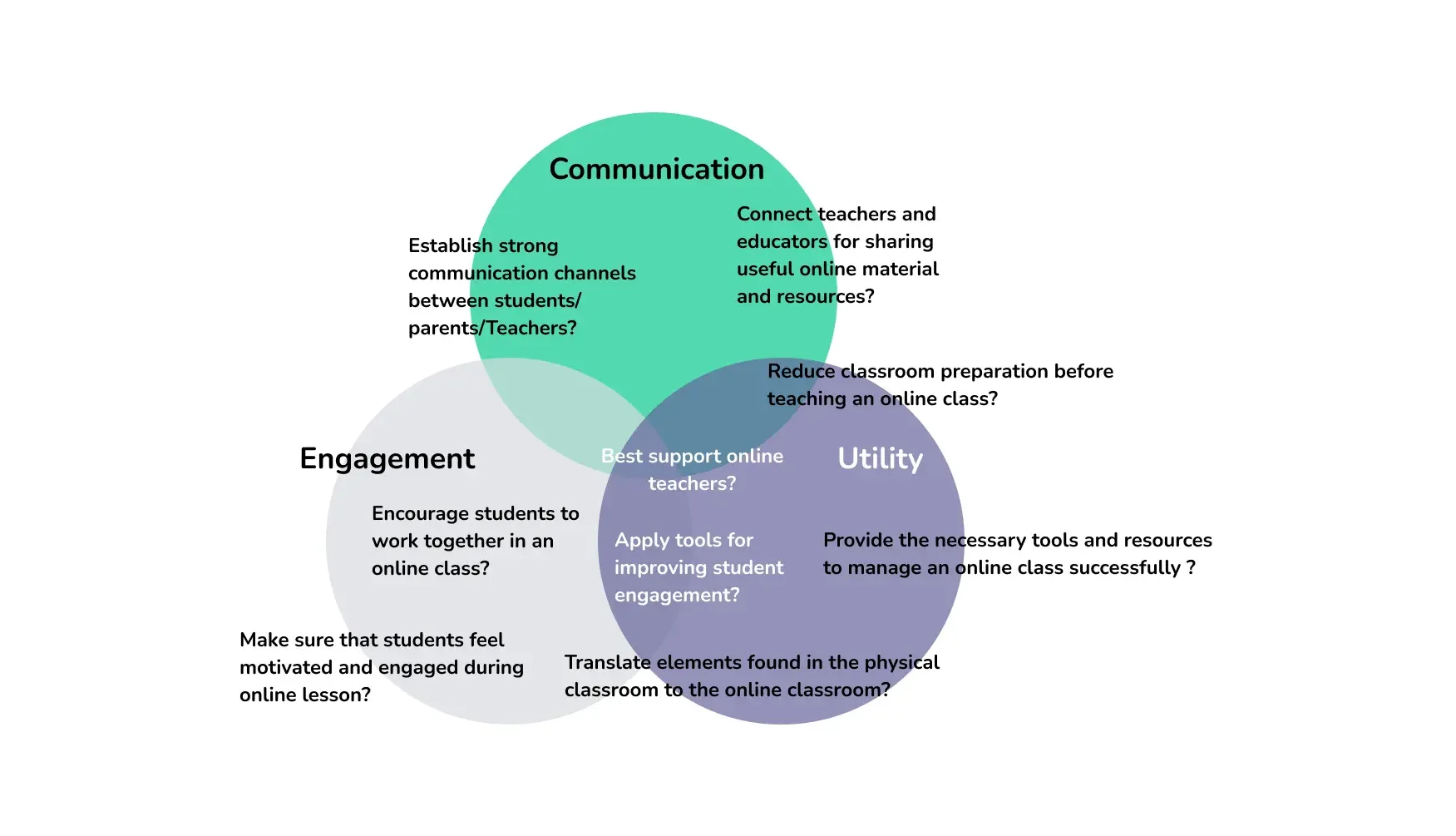
Following a How Might We Design Sprint, I identified three key focus areas; Communication, Engagement, and Utility. These emerged from the questions and insights gathered during the process and would now serve as the foundational framework to guiding the online platform development.
USER PERSONA
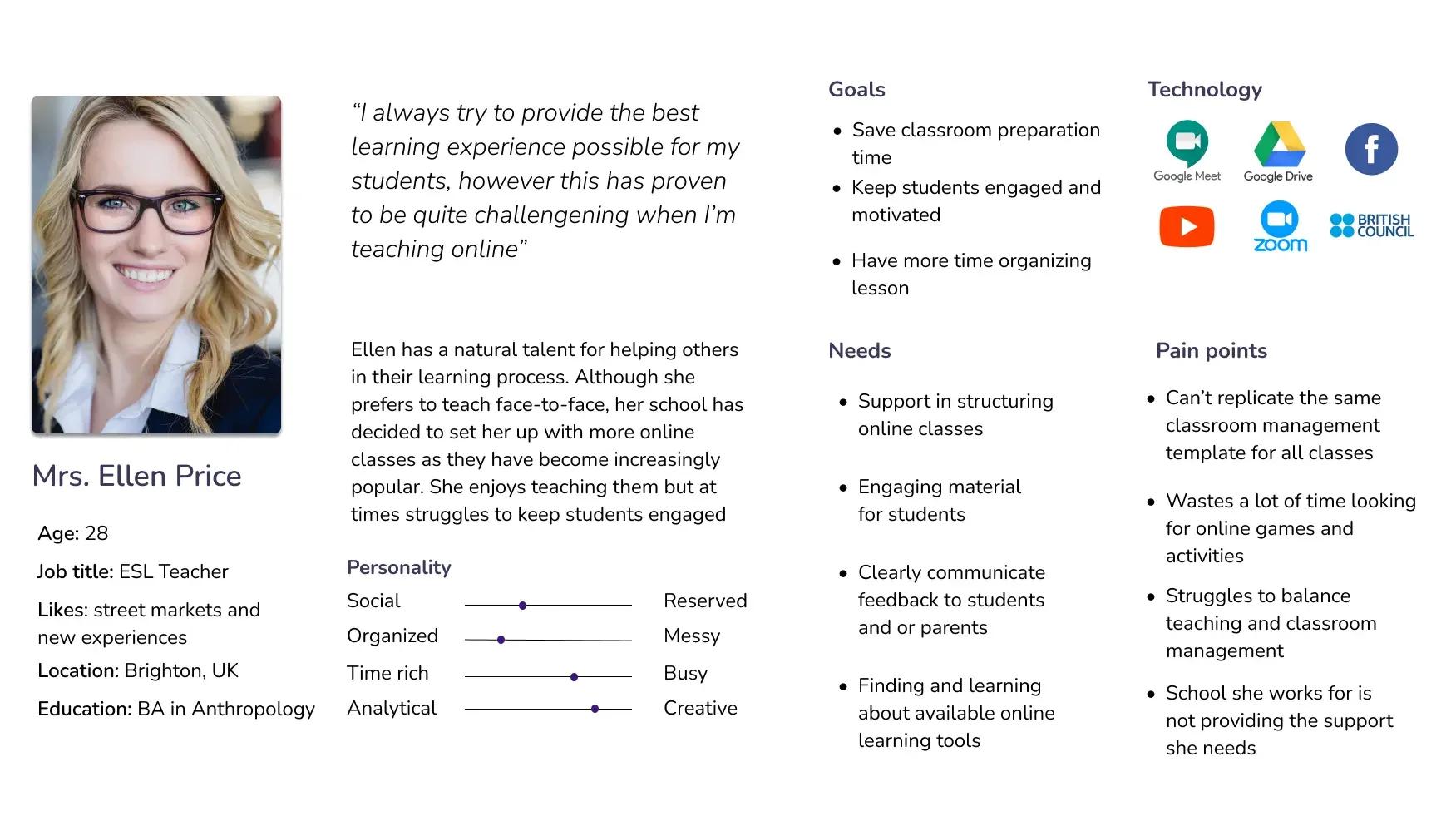
Using the insights gathered during the Discovery phase, I created a user persona to better define and represent the target audience for the platform.
IDEATE
Based on my findings, my solution is to create a website with the following features:
Classroom Management: Teachers can register their classes and prepare and deliver online lessons using an integrated classroom management system.
Digital Tools: The platform offers a wide range of digital tools tailored to teachers’ needs.
Supportive Mascot: An online mascot guides and assists teachers before and during their lessons."
INFORMATION ARCHITECTURE
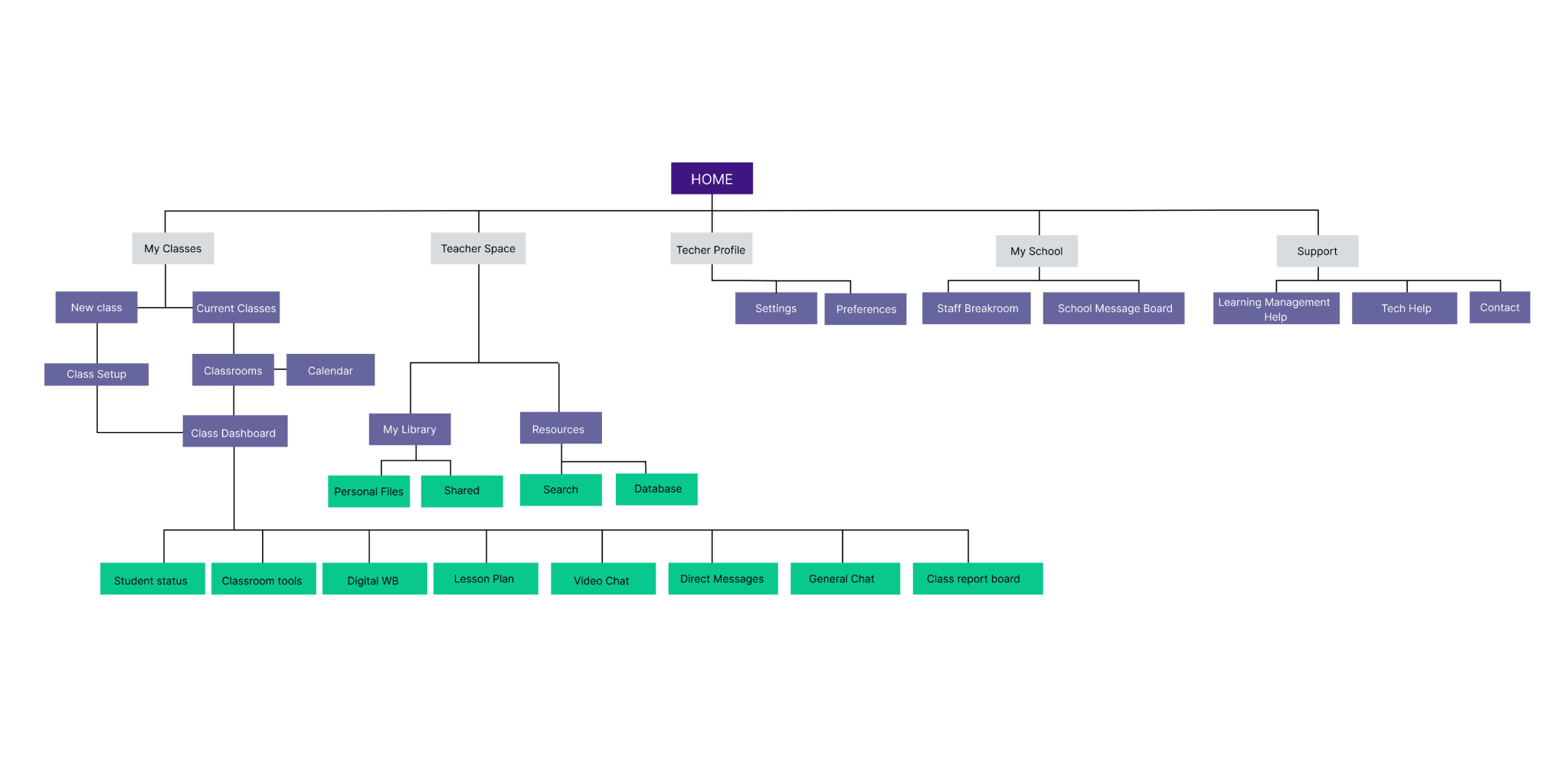
1. PLATFORM SITE MAP
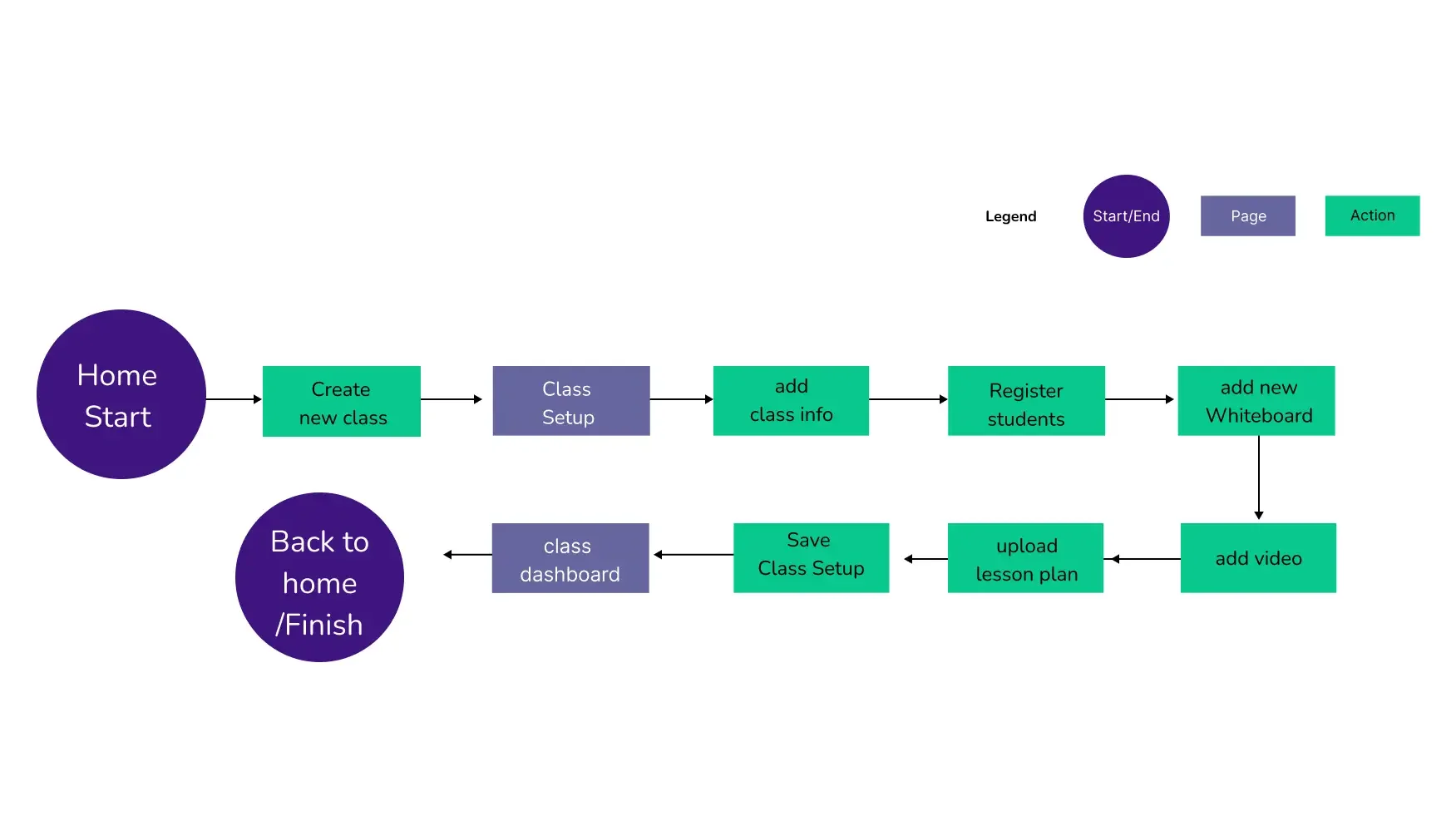
2. PLATFORM USER FLOW
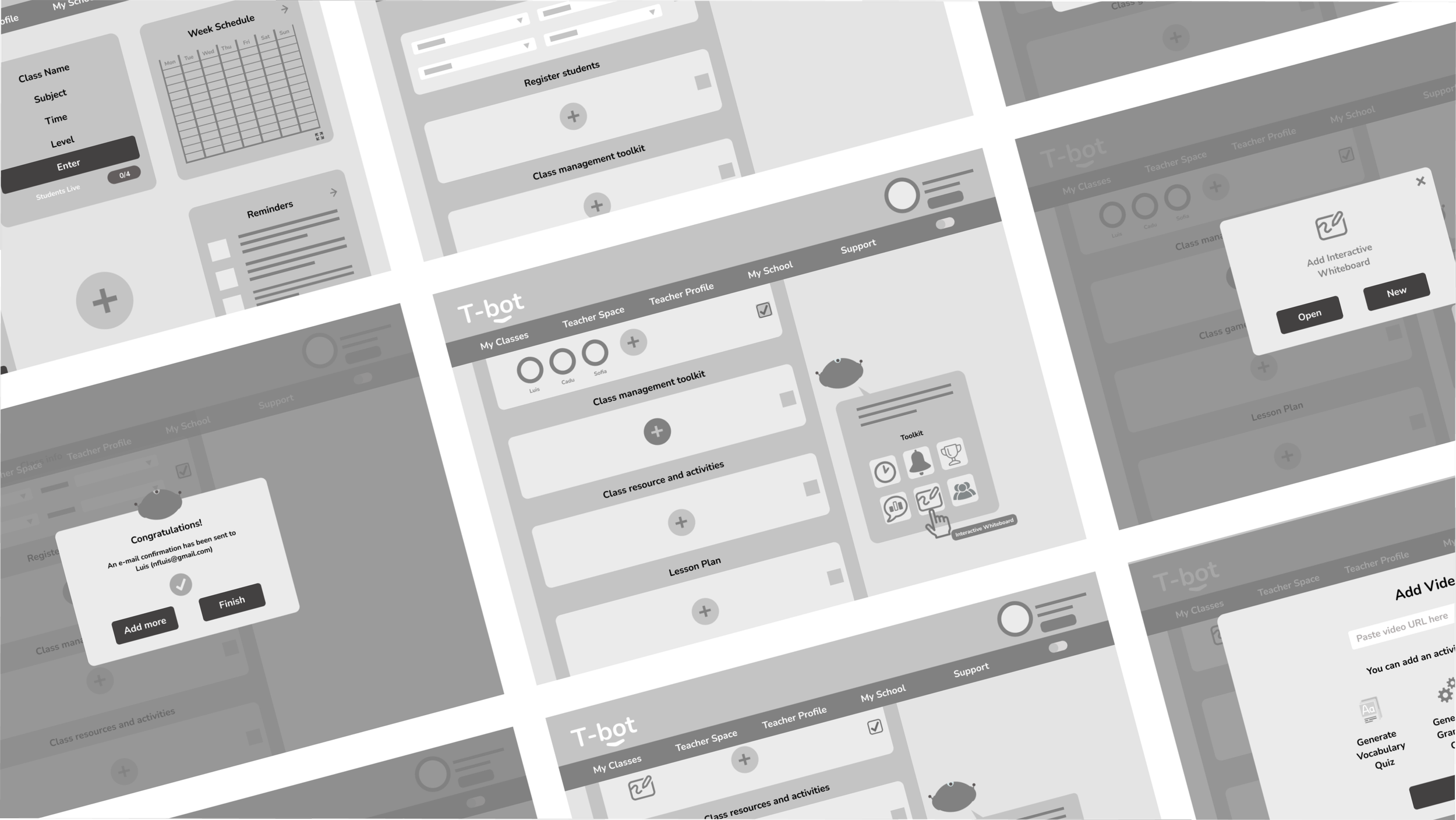
3. LOW-FIDELITY WIREFRAMES
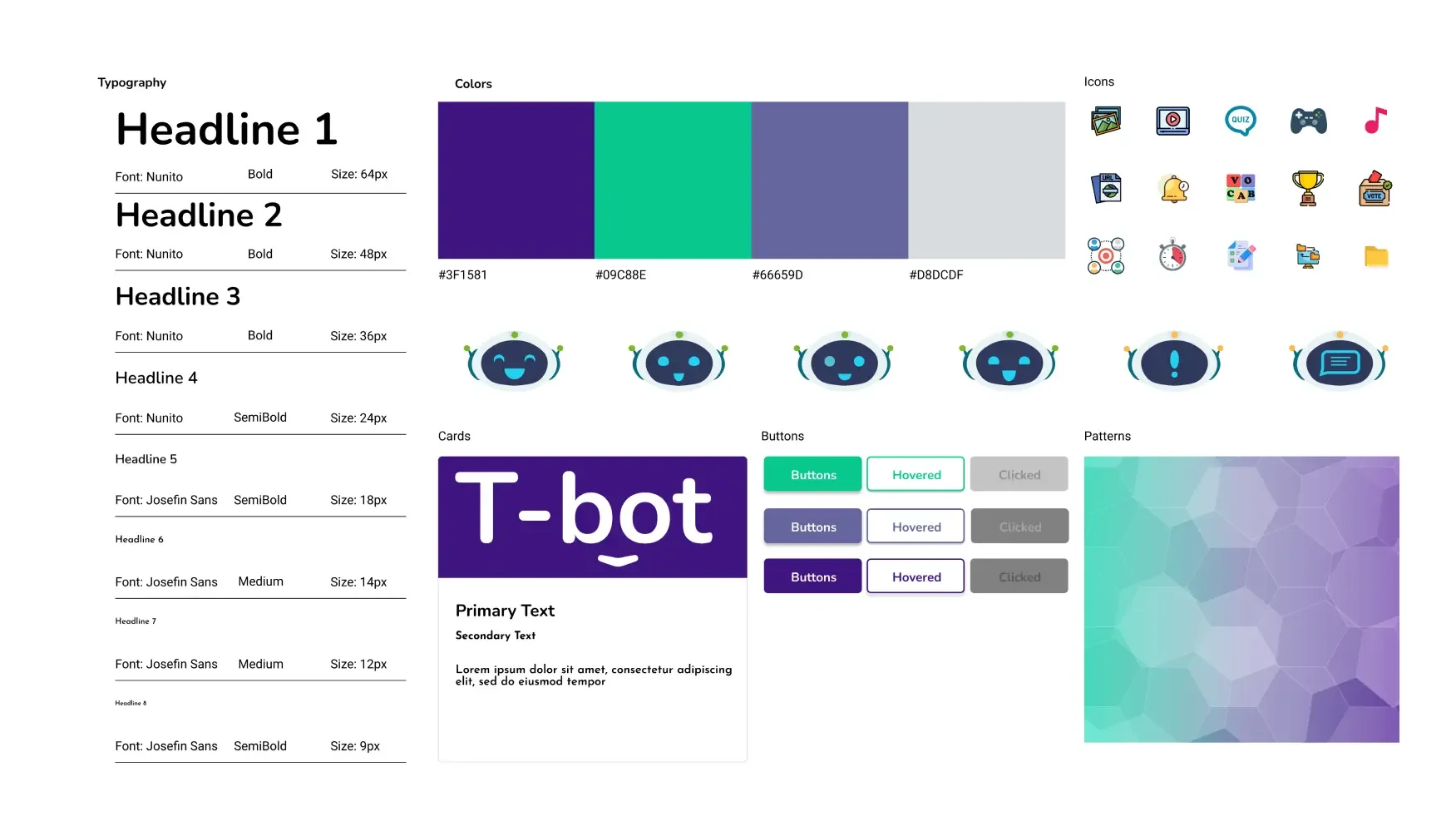
4. STYLE GUIDE
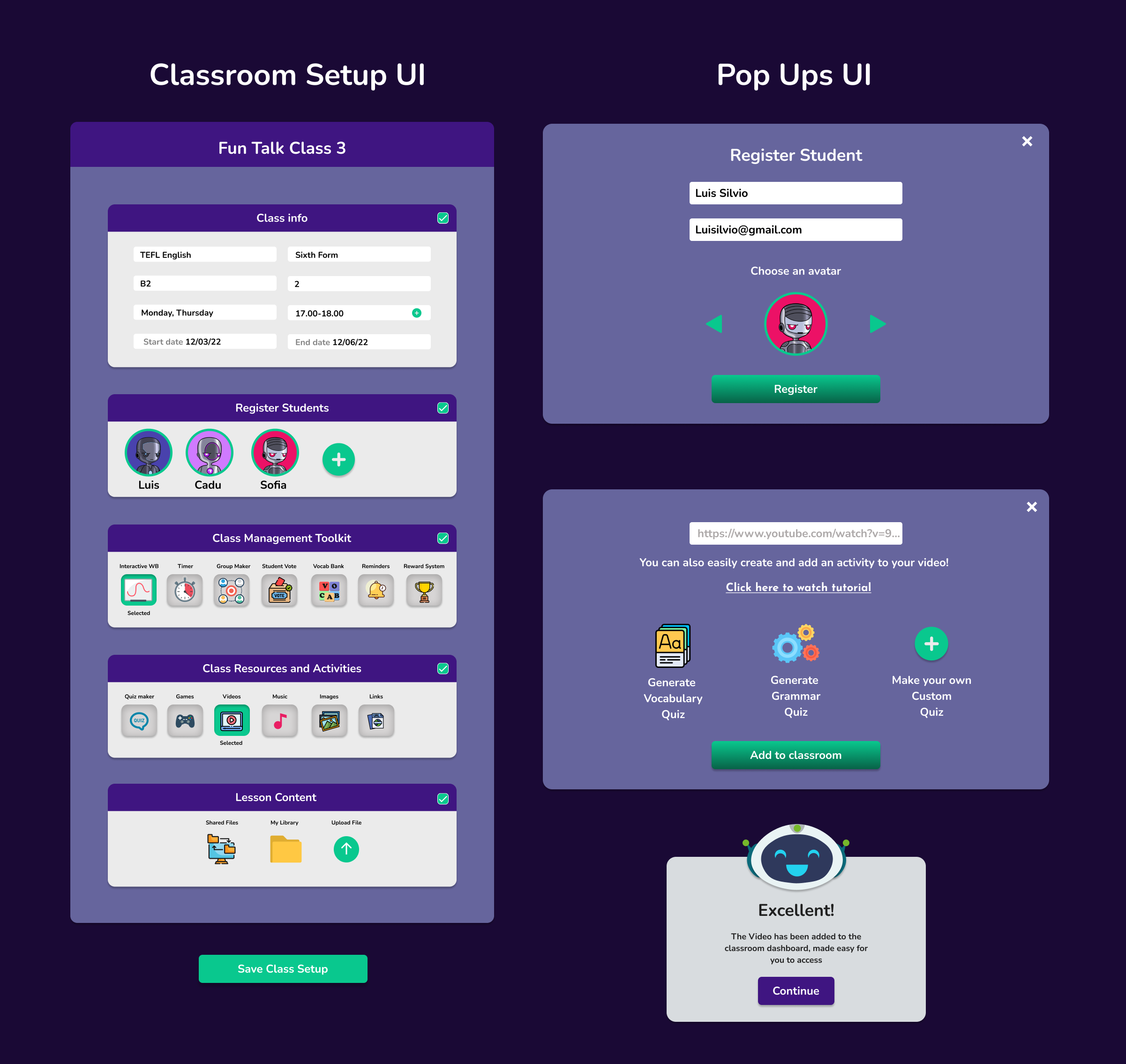
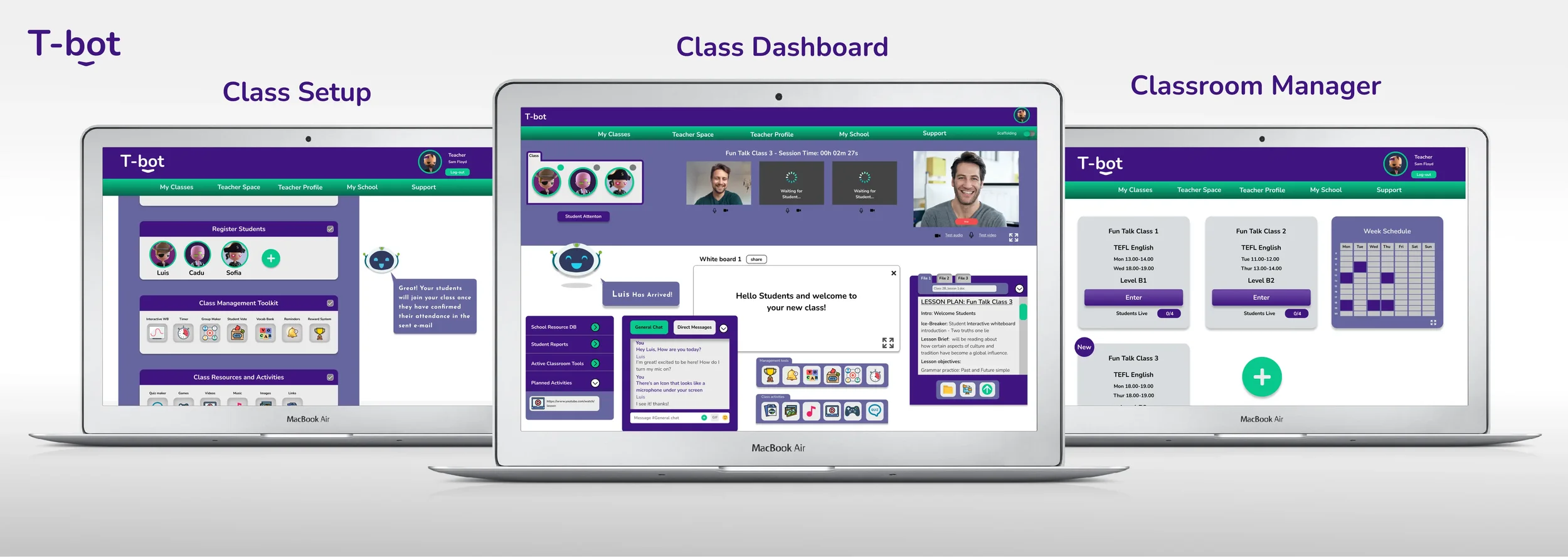
5. PROTOTYPE
TESTING
The prototype was tested with the teachers that had previously been interviewed in the discovery phase.
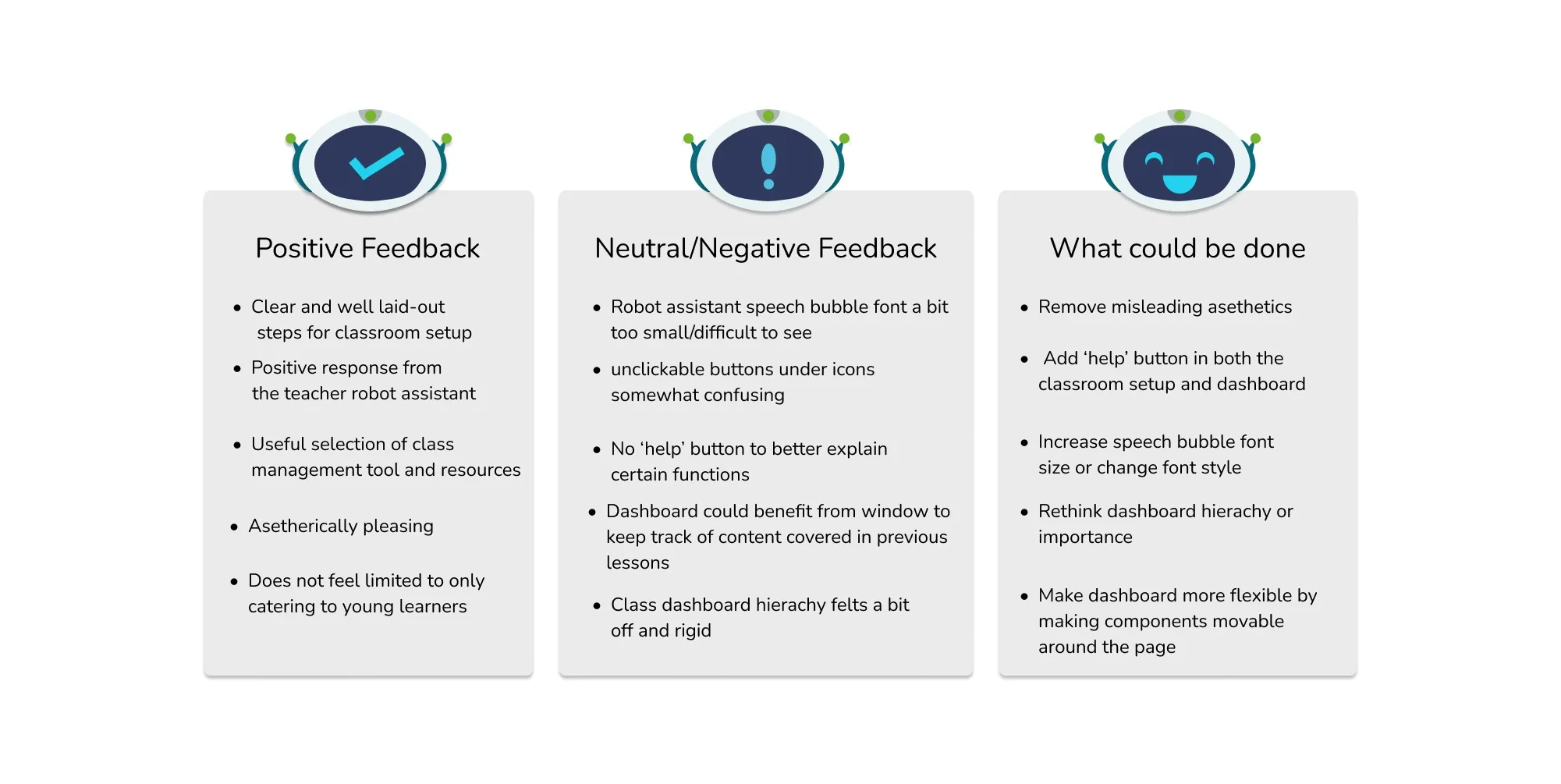
All participants managed to complete the task flow of registering and setting up a new classroom with minimal effort, and the mascot's presence was very well received.
Some of the users commented during the testing that the design did not feel limited to only catering to teaching young learners and many of them felt a sense of curiosity when inspecting the classroom tools and resource options available.
Main Pain Points
The display felt somewhat overcrowded and suffered from a lack of hierarchy in the class dashboard page.
Some confusing elements and aesthetics in the class setup page.
Font size in some of the copies too small.
Too much recall over recognition when on the class dashboard.
DESIGN SPRINT SUMMARY
The Objective was to create a website that support teachers and their online lessons by providing an integrated classroom management system that is easy to set up and flexible for each individual classes.
The UI specifically for the classroom dashboard is being revised following the testing results as many found the layout a bit confusing and rigid. In the next design sprint I would aim to make the classroom dashboard elements more flexible where users can layout their lesson/class components depending on their preference.
The prototype received overall positive feedback and it should be noted that its content was primarily focused on language teachers and therefore further research and ideation would be required to appropriate it to general online teaching in the next design sprint.